Inspecting the Temperature and Level Probes
Some locations may choose to do this procedure on a more frequent basis (i.e., quarterly, semi-annually, or other frequency).

|
To avoid electrical shock or property damage, move the power switch to OFF and disconnect power. |
|
|
Only perform this procedure when the unit is cool or severe burns may result. |
Ensure the temperature and level probes are undamaged and working within specification by doing the following:
-
Press and hold the menu button until *MAIN* appears on the display.
-
Press the number one product button to enter the filter menu.
-
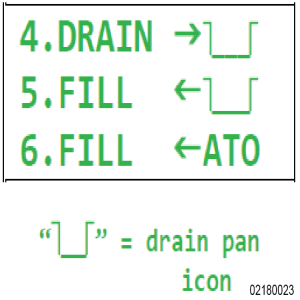
Press the right arrow until 4. DRAIN -> displays.
-
Select 4. DRAIN ->, and drain all the oil in the vat into the filter pan.
-
On the inside of the vat, clean off any build up or debris from the temperature probe and level probe. If a probe is bent or damaged, replace the probe.
-
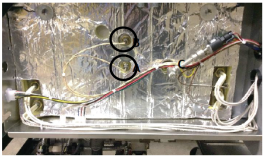
Check that each probe is inserted into the vat 3/8 inch into the oil. If a probe either extends too far into the oil or is too shallow, do the following:
-
Remove the left side panel.
-
Adjust the probe to the correct depth by loosening the ½ inch compression nut on the temperature probe.
-
Slide the probe to the correct depth then tighten the compression nut.
-
-
Select 5. FILL <-. Allow oil to fully fill the vat. Once filled, cancel the filter pump motor and exit out of the filter menu by pressing and holding the menu button.
-
Continue to the next inspection or reinstall components as applicable.






