Discarding Oil Using Rear RTI Dispose
The following steps describe how to dispose of oil using the Rear RTI system.
-
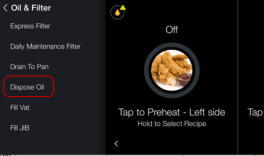
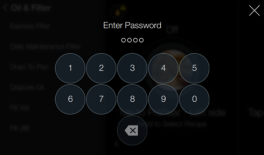
From the Settings menu screen, tap Oil & Filter > Dispose Oil. The Enter Password screen displays.
-
Enter code 1-1-2-2.
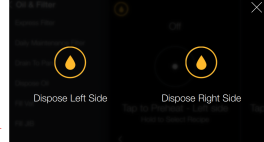
- Tap Dispose Left Side or Dispose Right Side, if this is a split vat.
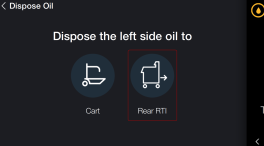
- Tap Rear RTI button to dispose of oil using the Rear RTI system.
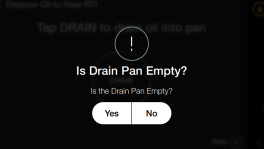
- Verify that the filter pan is empty. If it is, tap Yes to continue. If not, tap No, empty the filter pan, and continue to the next step.
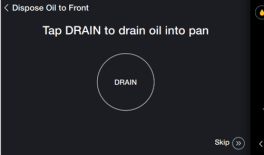
- Tap DRAIN button to drain oil from vat into filter pan.
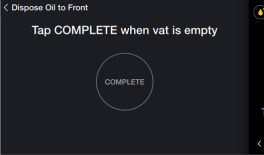
- Tap COMPLETE when vat is empty.
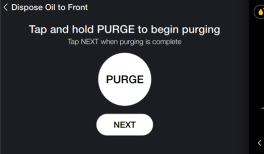
- Touch and hold PURGE button to remove oil from lines into filter pan. Tap NEXT when complete.
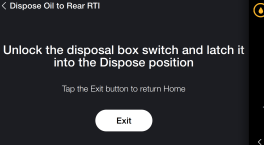
- Unlock the disposal box switch and latch it into the Dispose position. Then, tap Exit.
- Verify the filter pan is empty. If it is, tap Yes and the process is complete. If not, tap No and drain the pan to complete the process.
Related Content
Discarding Oil Using Front Dispose
Discarding Oil Using Rear Dispose
Discarding Oil Using Cart Dispose
Cleaning the Filter Pan Assembly
Replacing the Filter Pan Lid Gasket
Tighten Heat Probe and Element Spreader Bars
Managing Over the Air Connectivity Software Updates
Reference
OFE 51X Software without Connectivity






